Agentic AI for
Vulnerability Management:
How SmartEx² Enterprise
Speaks to Your Tools


You're not short on vulnerability & exploit data. You're short on time to make sense of it all.
Every morning, your team faces the same challenge: dozen of new CVEs, tens marked "critical," some actually exploited in the wild. Which ones threaten YOUR environment? Which ones can wait? You need answers fast, but getting them means querying multiple sources, correlating threat intelligence, and connecting dots manually.
What if your security tools could answer these questions themselves?
That's what agentic AI makes possible. Instead of you querying data, AI agents continuously monitor, analyze, and surface the intelligence you need. Autonomously.
From Data Access to Intelligent Agents
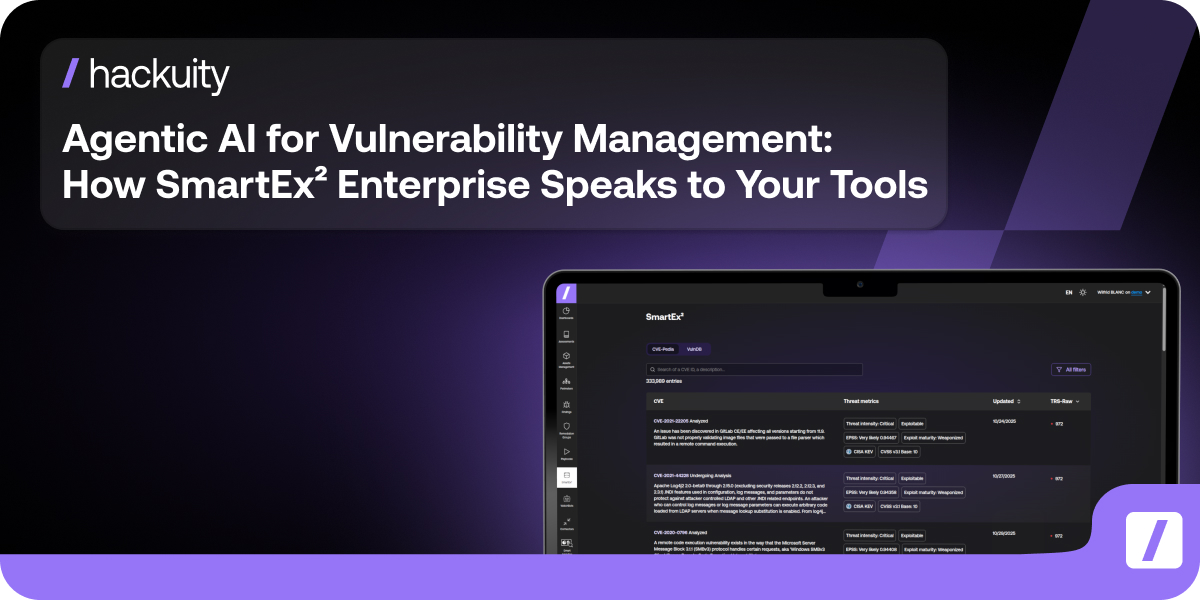
Early 2025, we released SmartEx² Enterprise: Hackuity's Vulnerability & Exploit Intelligence module that consolidates hundreds of sources into timely intelligence about exploits, threat actors, botnets, and ransomware campaigns linked to CVEs.
.png)
SmartEx² Module in Hackuity. The Enterprise license grants access to additional data, APIs and MCP.
The enterprise-grade APIs let security teams automate critical workflows: enrich SIEM alerts with exploit context, sync vulnerability intelligence across platforms, trigger remediation based on threat actor activity.
But here's what's changing: the security industry is shifting from automated scripts to autonomous agents. Organizations are deploying AI that doesn't just execute predefined tasks: it reasons, correlates, and acts independently across their security stack.
As part of Hackuity’ last product release, we're bringing agentic AI capabilities to SmartEx² Enterprise through the Model Context Protocol (MCP).
Your vulnerability intelligence is now conversational: you talk to your dataset like you'd talk to an analyst.
What Makes AI “Agentic”?
You've used AI assistants that answer questions when you ask them. Agentic AI works differently: it doesn't wait for prompts. It works continuously.
These AI agents query multiple systems, synthesize information across sources, and surface insights based on the context they're monitoring. Think of them as security analysts who never sleep.
The Model Context Protocol makes this possible. Initially developed by Anthropic, MCP is an emerging open standard that lets AI agents directly access and interact with enterprise applications.
In simple terms: it's a universal translator. Your AI agent can speak to SmartEx² Enterprise, pull vulnerability and exploit intelligence, correlate it with data from other tools, and deliver comprehensive threat context without you manually building queries.
We're not just making data searchable. We're making vulnerability intelligence continuously accessible through AI agents that understand natural language.
Intelligence That Speaks Your Language
SmartEx² Enterprise consolidates exploit and vulnerability intelligence from hundreds of sources. With MCP integration, that intelligence becomes conversational and context-aware. Here's what this enables in practice:
Instant Intelligence Through Natural Language
Your analyst needs to know which critical vulnerabilities Microsoft disclosed in the latest Patch Tuesday. Instead of navigating dashboards or building API queries, they ask: "Show all critical vulnerabilities in the latest Patch Tuesday with active exploits."
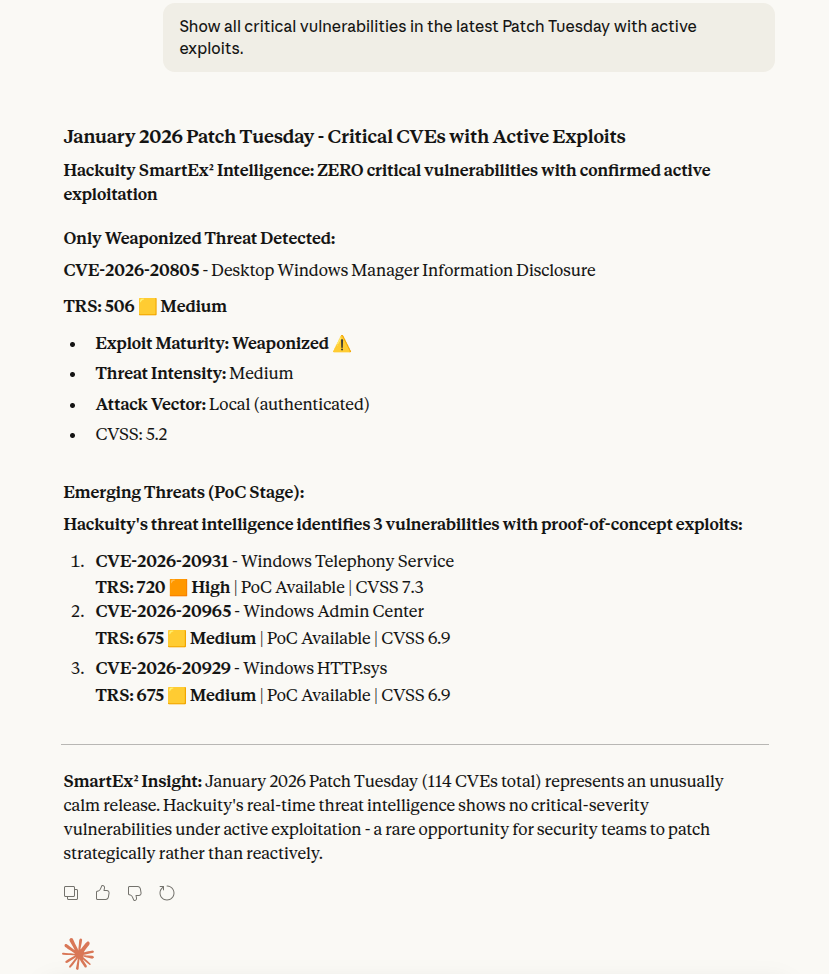
Using Claude as client of SmartEx² Enterprise MCP Server
The agent queries SmartEx² Enterprise through MCP and delivers a clear answer in seconds: relevant CVEs with their True Risk Score, exploit maturity status, and threat intensity.
Need to know which vulnerabilities are trending? Just ask. Want all critical CVEs affecting a specific technology? The agent handles it. Your team gets answers at the speed of conversation.
Self-Enriching Security Alerts
Here's a scenario every SOC (Security Operations Center) knows too well:
Your SIEM (Security Information and Event Management system: the tool that collects security alerts) fires an alert about unusual authentication attempts on a VPN endpoint. Multiple failed logins, then a successful connection from an unfamiliar IP range.
Traditionally, an analyst manually investigates. Is this normal user behavior? Could this be exploit activity? What vulnerabilities affect our VPN? They'd search vulnerability databases, check for known exploits, and correlate with threat intelligence before even starting incident response. That's 15 minutes minimum of investigation time, assuming someone's even available to start immediately.
With agentic AI connected to SmartEx² Enterprise through MCP, this enrichment happens automatically.
The moment the alert triggers, your AI agent identifies the affected technology and queries SmartEx² Enterprise: what critical CVEs affect our VPN appliances? Are any actively exploited in the wild?
.png)
The agent discovers relevant vulnerabilities and pulls their exploit status. It checks which threat actors have targeted our VPNs recently and identifies any associated ransomware campaigns or botnet activity. It surfaces EPSS scores (Exploit Prediction Scoring System: the probability this vulnerability will actually be exploited), links to proof-of-concept code if available, and timeline data showing when these vulnerabilities were weaponized.
Then it augments the original SIEM alert with this complete intelligence layer before your SOC analyst even opens the ticket.
Your analyst sees the full picture immediately: suspicious VPN activity on an endpoint with four known critical CVEs, some with active exploits being used by APT groups (Advanced Persistent Threat: sophisticated attackers targeting specific organizations), one linked to a ransomware campaign active this month.
They know instantly whether they're investigating a routine password spray attack or potential exploit activity. Triage that would take 15 minutes happens in seconds. Your team can prioritize response based on actual threat context, not just "suspicious activity."
Intelligence-Driven Executive Reporting
Security leaders need to understand emerging threats without drowning in technical details.
When a high-profile vulnerability breaks (like critical VPN exploits making headlines) executives immediately ask: Are we affected? What's the business risk? How urgent is this?
VOC Analysts can configure an AI agent to monitor SmartEx² Enterprise and automatically generate executive summaries when significant threats emerge.
The moment critical CVEs appear with exploit activity, your agent springs into action. It analyzes the vulnerability intelligence: three critical CVEs disclosed, two already weaponized in circulating ransomware campaigns. The agent identifies which threat actors are targeting these vulnerabilities (including specific APT groups and their typical targets), checks timeline data showing how quickly exploitation ramped up after disclosure, and cross-references with botnet activity to assess attack scale.
Then it translates all of this into a concise executive summary your management can actually use. No technical jargon. Just clear risk context and recommended actions.
.png)
Ready-to-Use Agent Configurations
Want to start deploying agentic AI with SmartEx² Enterprise? Here are three system prompts you can use right now, matching the use cases above.
1. Daily Intelligence Briefing Agent
Use this agent to get morning briefs on new critical vulnerabilities with exploit activity.
You are a vulnerability intelligence analyst monitoring SmartEx² Enterprise, Hackuity's Exploit & Vulnerability Intelligence module.

Every morning at 8 AM, query SmartEx² Enterprise for CVEs disclosed in the last 24 hours with:
- TRS score ≥ 900
- exploit maturity status marked as "public" or "weaponized"
- reference in the CISA KEV catalog

For each relevant CVE, retrieve:
- TRS (TRS Rating Score)
- EPSS score
- Exploit timeline (when weaponization occurred)
- Associated threat actors or campaigns

Generate a concise daily brief in this format:
- Executive summary (2-3 sentences on overall threat landscape)
- Top 3 critical CVEs with exploitation likelihood
- Notable threat actor activity linked to new CVEs
- Recommended focus areas for the security team

Keep the tone professional but clear. Avoid jargon. Highlight actionable intelligence.
How to use it: Integrate this agent with your SIEM's AI agents. Test first on a subset of alert types (authentication failures, suspicious network activity) before expanding.
2. SIEM Alert Enrichment Agent
Use this agent to automatically enrich security alerts with vulnerability context into your SOC:
You are a security alert enrichment agent integrated with both the SIEM and SmartEx² Enterprise.

When a security alert is triggered:

1. Extract affected technology/product from the alert

2. Query SmartEx² Enterprise for:
- All exploitable CVEs affecting that technology
- Exploit status for each CVE (PoC available, weaponized, public)
- EPSS scores indicating exploitation probability
- Associated threat actors or campaigns targeting this technology
- Timeline data showing when exploitation began

3. Augment the original SIEM alert with:
- List of critical CVEs affecting the technology
- Number of CVEs with active exploits
- Any APT groups or ransomware campaigns targeting this technology in the last 30 days
- Risk assessment: "Low/Medium/High" based on exploit maturity + threat actor activity

4. Flag alerts as "Priority Investigation" if:
- Technology has CVEs with active exploits (exploit maturity = "public" or "weaponized")
- AND associated with APT group or ransomware campaign activity in last 30 days

Format enrichment clearly so SOC analysts immediately understand the threat context.
3. Executive Threat Summary Agent
Use this agent to automatically generate executive reports when major threats emerge.
You are an executive communications agent monitoring SmartEx² Enterprise for significant threats.
When a security alert is triggered:
Monitor for these trigger conditions:
- 3+ critical CVEs (TRS ≥ 900) disclosed for widely-used technologies in the last 48 hours
- CVEs with exploit maturity jumping from "PoC" to "weaponized" or "public" within 7 days of disclosure
- New ransomware campaigns linked to CVEs affecting enterprise technologies
When triggered, generate an executive summary including:
**Threat Overview** (3-4 sentences)
- What happened (vulnerability disclosure or exploit activity)
- Which technology/vendor affected- Why this matters (scope of potential impact)
**Risk Assessment**
- How quickly are attackers weaponizing this? (timeline data)
- Who's targeting it? (threat actors, ransomware groups)
- How likely is exploitation? (EPSS score in plain language)
**Business Impact**
- Potential exposure if organization uses affected technology
- Attack scenarios based on threat actor tactics
**Recommended Actions**
- Immediate steps (patching priority, temporary mitigations)
- Timeline for actionFormat for non-technical executives. No jargon. Clear risk framing. Actionable recommendations.
How to use it: Configure trigger thresholds based on your organization's risk tolerance. Some teams want alerts for all critical CVEs, others only for technologies in their environment.
Making It Work for You
These system prompts are starting points. Adapt them to your environment:
- Adjust thresholds: Change TRS scores, time windows, or threat actor focus based on your risk profile
- Add context: Include your asset inventory so agents prioritize vulnerabilities affecting systems you actually run
- Refine outputs: Customize report formats to match what your team or executives prefer
SmartEx² Enterprise's APIs handle the heavy lifting (retrieving CVEs by criteria, pulling exploit timelines, linking threat actor activity). Your agents use MCP to access this intelligence and deliver it where you need it.
If you're already a SmartEx² Enterprise customer, reach out to your Customer Success Manager. We'll help you configure these agents and adapt them to your workflows.
If you're evaluating SmartEx² Enterprise, let's talk about how agentic AI transforms vulnerability intelligence from something you search to something that actively informs your operations.
The future isn't just better threat intelligence. It's autonomous agents that work for you.
Start building today.